
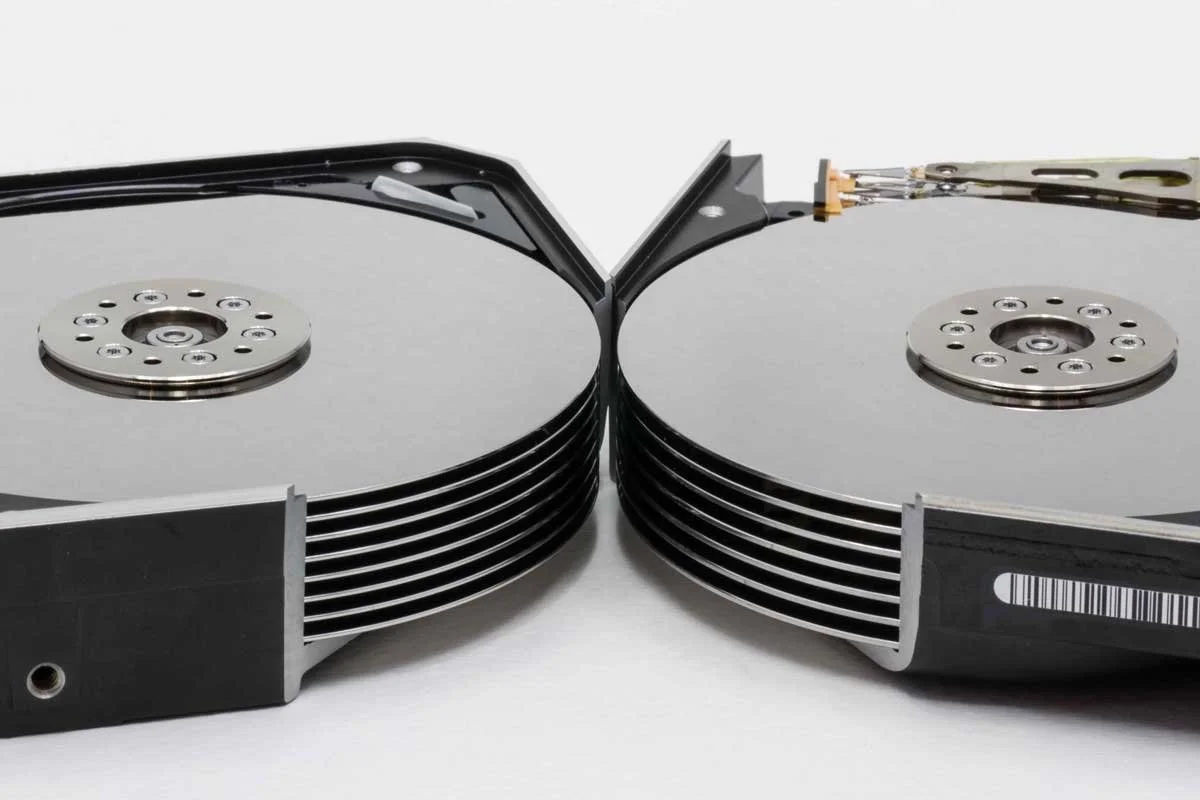
helium hard drive data recovery in san jose & the bay area
helium HDD, high-capacity drive, NAS, RAID & enterprise hard drive recovery
Business files, backups, databases, project data, archives, and personal files may still be recoverable when a helium hard drive is not detected, clicking, unstable, corrupted, overheating, physically damaged, or failing inside a NAS, RAID array, server, or high-capacity storage system.
With 26+ years of data recovery experience, Kotar Data Recovery provides professional helium hard drive recovery for clients in San Jose and across the Bay Area. We recover data from high-capacity helium HDDs used in enterprise servers, NAS systems, RAID arrays, workstations, backup systems, and large-capacity storage environments.
Free secure courier pickup is available across the Bay Area. You can also request a free shipping label or visit our San Jose lab by appointment.
Your helium hard drive is examined within 2 hours after it arrives at our San Jose lab, and we provide the recovery options and a fixed quote before any work begins.
why helium hard drive data can still be recoverable
Helium hard drives use sealed, high-capacity mechanical designs with multiple platters and tightly controlled internal components. They can fail because of read/write head damage, firmware problems, PCB failure, bad sectors, overheating, impact, motor problems, media damage, or other mechanical and electronic faults.
Even when a helium HDD is no longer detected, makes unusual sounds, reports bad sectors, or fails inside a RAID or NAS system, recoverable data may still remain on the platters.
Our San Jose lab evaluates the original drive first and uses the safest available recovery method based on the drive design, head condition, platter condition, firmware, electronics, bad sectors, and storage environment.
helium hard drives and storage environments we recover
Enterprise helium hard drives used in servers, storage arrays, workstations, and high-capacity infrastructure
NAS helium drives used in network storage, shared business systems, backups, media libraries, and archive storage
RAID helium drives used in multi-drive arrays, servers, enterprise storage, and data-intensive applications
High-capacity backup drives containing archives, media, business data, databases, and large backup sets
SATA and SAS helium HDDs used in supported desktop, server, NAS, RAID, and enterprise storage configurations
Common helium HDD manufacturers including Seagate, Western Digital, HGST, Toshiba, and other supported high-capacity hard drive models
Encrypted helium hard drives when the required password, recovery key, or credentials are available
common helium hard drive failures we recover from
Helium HDD not detected by a computer, NAS, RAID controller, server, or external enclosure
Clicking or repeated spin-up sounds caused by read/write head problems, internal mechanical failure, media damage, or unstable operation
Bad sectors and unreadable areas causing freezing, slow access, repeated read errors, or inaccessible files
Firmware corruption causing incorrect identification, unstable behavior, wrong capacity, or loss of access
PCB or electronic failure causing no power, intermittent detection, or communication problems
Overheating and thermal instability affecting normal drive operation and reliability
Impact or vibration damage affecting heads, platters, alignment, or internal components
File-system or partition corruption causing missing folders, inaccessible files, damaged volumes, or mount errors
Deleted or reformatted helium drive where files, folders, or partitions were removed accidentally
NAS, RAID, or server failure involving one or more helium drives within a multi-drive storage system
NAS and RAID helium drive recovery
Helium hard drives are commonly used in NAS systems, RAID arrays, servers, and other high-capacity business storage because they provide large storage capacity in enterprise environments.
When one or more helium drives fail, the entire storage system may become degraded, offline, or inaccessible.
If a NAS, RAID array, or server is rebuilding, reporting multiple failed drives, losing volumes, or becoming unstable, avoid replacing additional drives or forcing another rebuild before the original configuration has been evaluated.
helium hard drive not detected
A helium hard drive may stop being detected because of PCB failure, firmware corruption, damaged heads, bad sectors, power problems, enclosure failure, interface issues, or internal mechanical damage.
If the data is important, do not initialize, erase, partition, or format the drive.
Avoid repeated power cycles when the drive behaves inconsistently, clicks, spins down, or disappears from the system.
Our San Jose lab evaluates the drive first and determines the safest available recovery method.
clicking helium hard drive recovery
Clicking, buzzing, repeated spin-up, or other unusual mechanical sounds can indicate read/write head problems, media damage, motor issues, or other internal failures.
Continued operation can increase damage and reduce recovery options.
If a helium HDD begins making unusual mechanical sounds, power it off and avoid recovery software, diagnostic scans, repeated restarts, or additional rebuild attempts.
high-capacity enterprise helium HDD recovery
High-capacity helium drives are often used in servers, RAID arrays, NAS systems, enterprise backup platforms, surveillance storage, media archives, and large business datasets.
Because these drives may contain many terabytes of data and complex internal designs, recovery requires careful evaluation of the drive condition, firmware, heads, media, and available read stability.
When the helium drive is part of a larger RAID or server environment, the condition of the other drives and the original storage configuration may also affect the recovery strategy.
signs of a failing helium hard drive
Drive is not detected by the computer, NAS, RAID controller, or server
Clicking, buzzing, grinding, whirring, or repeated spin-up sounds
Very slow reads or long delays when accessing files
Frequent read errors or bad-sector warnings
Drive repeatedly disconnects or drops offline
Wrong capacity is displayed
Partitions, folders, or files disappear
RAID, NAS, or server reports degraded or failed-drive status
Drive becomes unusually hot or unstable
SMART warnings or increasing error counts appear
Backups fail or stop unexpectedly
what you should do and not do
Stop using the helium hard drive if it is clicking, unstable, overheating, not detected, or reporting repeated read errors
Power off a mechanically failing drive rather than continuing normal operation or repeated restart attempts
Do not initialize, erase, partition, or format the drive if the system asks you to
Do not run recovery software or repeated diagnostic scans on a clicking or physically unstable helium HDD
Do not open the drive yourself because helium HDDs are sealed precision devices that require appropriate professional handling
Do not force another RAID or NAS rebuild when multiple helium drives are failing or the array is already unstable
Document the original RAID or NAS drive order before removing multiple drives from a storage system
Preserve passwords or recovery keys when the drive or storage volume is encrypted
our 3-step helium hard drive recovery process
Free evaluation and fixed quote - the helium hard drive is examined within 2 hours after it arrives at our San Jose lab, and the recovery options and a fixed quote are provided before work begins
Safe imaging and recovery - the original drive is protected and the safest available recovery method is used based on the condition of the heads, platters, firmware, electronics, bad sectors, mechanical components, and storage environment
File reconstruction and verification - accessible files, folders, partitions, volumes, and directory structures are reconstructed and checked before delivery
how fast do you need your data back?
standard service - recovery during regular business hours
express service - completed in up to 72 hours
24/7 emergency service - round-the-clock recovery on request
why choose kotar for helium hard drive recovery
26+ years of data recovery experience with hard drives, helium HDDs, RAID systems, NAS storage, servers, and enterprise storage environments
Professional San Jose data recovery lab serving businesses, IT teams, professionals, engineers, organizations, and individuals across the Bay Area
All recovery work performed in-house at our San Jose lab without outsourcing your helium hard drive or data to third-party companies
Cleanroom capability for physically damaged and mechanically unstable hard drives when internal access is required
Specialized HDD recovery tools for clicking, unstable, not-detected, firmware-affected, high-capacity, and enterprise helium drives
Experience with NAS, RAID, server, SATA, SAS, and high-capacity storage environments
Free secure courier pickup available across the Bay Area
Free shipping label available when shipping is more convenient
Free evaluation within 2 hours after the drive arrives at our lab
No data, no fee guarantee
Fixed quote before recovery begins so you know the cost before approving the work
Secure handling for personal files, business records, legal documents, healthcare information, engineering data, financial files, backups, databases, and confidential enterprise storage
24/7 emergency service available on request for urgent recovery cases
helium hard drive recovery FAQs
Can data be recovered from a failed helium hard drive?
Often, yes. Data may still be recoverable from a failed helium HDD when the platter surfaces remain sufficiently intact. The recovery method depends on the drive model, failure type, head condition, firmware, electronics, and extent of any media damage.
Can you recover a clicking helium hard drive?
Often, yes. Clicking can indicate read/write head problems or another mechanical failure, so the drive should be powered off and evaluated before additional operation causes further damage.
Can you recover helium drives from a failed RAID or NAS?
Yes, depending on the condition of the individual drives and the storage configuration. We evaluate the helium HDDs along with the RAID level, drive order, controller information, and array condition before determining the safest recovery path.
Can you recover a helium hard drive that is not detected?
Yes, depending on the cause of the failure. A not-detected helium HDD may have firmware, PCB, head, power, bad-sector, interface, or other mechanical problems that can be evaluated using professional recovery methods.
related data recovery services
For conventional clicking, dropped, damaged, or not-detected hard drives, visit our hard drive data recovery page.
For RAID arrays, NAS systems, servers, and multi-drive storage using helium drives, visit our RAID data recovery page.
For failed NVMe, SATA, M.2, and other solid-state storage, visit our SSD data recovery page.
For damaged virtual machines and virtual disks stored on enterprise systems, visit our virtual machine data recovery page.
For deleted, formatted, missing, or corrupted files, visit our lost file recovery page.
ready to get your helium drive data back?
or
call (408) 455-4310 to speak with a data recovery expert
or
send us email at restore@kotar.us