
lost file recovery in san jose & the bay area
deleted, formatted, missing, corrupted & accidentally lost file recovery
Documents, photos, videos, business files, accounting records, project folders, archives, and personal data may still be recoverable after accidental deletion, formatting, partition loss, file-system corruption, failed transfers, or storage-device problems.
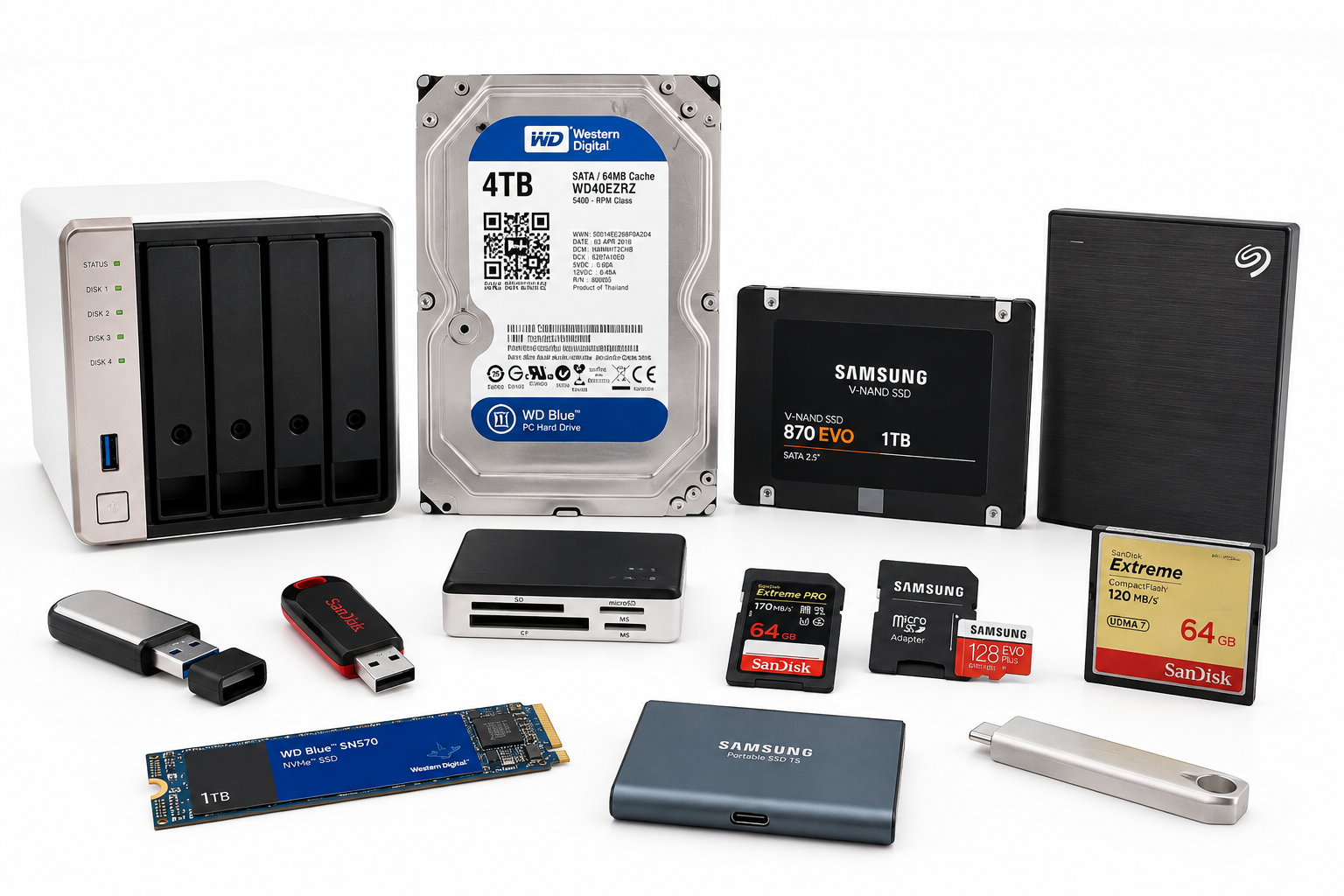
With 26+ years of experience, Kotar Data Recovery provides professional lost file recovery for clients in San Jose and across the Bay Area. We recover data from hard drives, SSDs, external drives, RAID systems, NAS storage, USB flash drives, memory cards, Mac storage, and other supported devices.
Free secure courier pickup is available across the Bay Area. You can also request a free shipping label or visit our San Jose lab by appointment.
Your storage device is examined within 2 hours after it arrives at our San Jose lab, and we provide the recovery options and a fixed quote before any work begins.
why lost files can still be recoverable
Deleting a file does not always immediately erase its underlying data. On some storage devices, the file-system entry may be removed while portions of the original data remain available until they are overwritten or otherwise cleared by the storage system.
Files may also become inaccessible after accidental formatting, partition loss, damaged file systems, interrupted transfers, software errors, or storage-device failure.
Our San Jose lab evaluates the original storage first, protects the source media, and uses the safest available recovery method, including creating a recovery copy when appropriate, before analyzing the file system and reconstructing accessible files and folder structures.
Recovery depends on the storage technology, device condition, amount of subsequent use, file-system changes, and whether the original data remains available.
storage devices we recover
Hard drives containing deleted, formatted, corrupted, missing, or inaccessible files
SSDs and solid-state storage affected by formatting, file-system corruption, missing volumes, or deleted data when the underlying data remains available
External drives used for backups, business files, photos, videos, archives, and personal storage
RAID and NAS storage containing missing shared folders, deleted data, corrupted file systems, or inaccessible volumes
USB flash drives containing deleted documents, photos, videos, project files, or business data
SD and memory cards containing photographs, video footage, documents, and removable-storage data
Mac storage including APFS, HFS+, external Mac drives, and Time Machine-related data
Local synchronized folders and backups affected by accidental deletion, failed synchronization, replaced files, or incomplete backup operations
file types we recover
Office documents including Word, Excel, PowerPoint, PDF, text documents, and common business files
Photos and images including JPEG, HEIC, PNG, TIFF, RAW, and other supported image formats
Video files including MOV, MP4, AVI, and other common video formats
Accounting and business data including QuickBooks files, spreadsheets, databases, client folders, and project records
Creative project files including photography, video, design, editing, production, and media assets
Archives and disk images including ZIP, RAR, DMG, ISO, backup files, and other supported archive formats
Personal files including family photos, home videos, documents, scanned records, and digital archives
deleted file recovery
Deleted files may still be recoverable when the original data has not been overwritten, erased by the storage system, or otherwise made unavailable.
This can include documents deleted from folders, emptied Trash or Recycle Bin cases, missing photographs, deleted videos, business files, accounting records, and project folders.
If important files were deleted, stop using the storage device as soon as possible. New files, software updates, downloads, temporary files, backups, or normal system activity can overwrite data that may otherwise remain recoverable.
formatted drive recovery
Files may still be recoverable after a hard drive, SSD, external drive, USB flash drive, memory card, or other storage device has been formatted.
Recovery depends on the type of format, storage technology, file system, whether encryption is involved, and how much new data has been written afterward.
If the formatted device contains important files, avoid reinstalling the operating system, creating new partitions, copying files to the device, or continuing normal use.
missing and corrupted file recovery
Files can disappear, become unreadable, or lose their original folder structure after file-system corruption, bad sectors, unsafe removal, interrupted transfers, failed updates, application errors, damaged storage, or unexpected shutdowns.
We evaluate missing, inaccessible, unreadable, and corrupted files from personal devices, business storage, external drives, RAID systems, USB drives, memory cards, and other supported media.
Depending on the condition of the storage, recovery may involve file-system reconstruction, metadata analysis, file carving, or recovery from the safest available copy.
SSD deleted file recovery
Deleted-file recovery from SSDs is different from traditional hard-drive recovery because modern solid-state drives may use TRIM and internal garbage-collection processes that can clear deleted data from flash memory.
Recovery depends on the SSD, operating system, file system, encryption, device state, and whether the underlying deleted data remains physically available. If TRIM or garbage collection has already cleared the relevant flash pages, that data cannot be recovered from those pages.
If important files were deleted from an SSD, minimize further use and avoid reinstalling software, updating the operating system, or copying new data to the drive before evaluation.
signs that file recovery may be needed
Important files or folders suddenly disappear
Trash or Recycle Bin was emptied accidentally
A drive or memory card was formatted by mistake
A partition or volume is missing
The storage device appears RAW or asks to be formatted
Folders are visible but files will not open
Files appear corrupted or contain unexpected errors
An external drive or USB device no longer mounts correctly
Data disappeared after an update, migration, or interrupted transfer
A RAID or NAS shared folder is missing or inaccessible
A backup or synchronized folder no longer contains expected files
what you should do and not do
Stop using the storage device when important files are deleted, missing, corrupted, or accidentally formatted
Do not save new files to the same storage because new data can overwrite recoverable information
Do not reinstall the operating system when files need to be recovered from the existing installation
Do not initialize, erase, repartition, or reformat the device if the computer asks you to
Avoid repeated recovery scans when the device is unstable, disconnecting, extremely slow, or reporting read errors
Do not run CHKDSK, fsck, Disk Utility repair, or similar utilities on physically failing or unstable storage
Power off clicking or mechanically failing hard drives instead of continuing logical recovery attempts
Preserve passwords and recovery keys when the lost files were stored on encrypted volumes
our 3-step lost file recovery process
Free evaluation and fixed quote - the storage device is examined within 2 hours after it arrives at our San Jose lab, and the recovery options and a fixed quote are provided before work begins
Safe imaging and file-system analysis - the original storage is protected and the safest available recovery method is used based on the device condition, file system, storage technology, encryption, and type of data loss
File reconstruction and verification - accessible files, folders, partitions, metadata, and directory structures are reconstructed and checked before delivery
how fast do you need your data back?
standard service - recovery during regular business hours
express service - completed in up to 72 hours
24/7 emergency service - round-the-clock recovery on request
why choose kotar for lost file recovery
26+ years of data recovery experience with deleted, formatted, corrupted, missing, inaccessible, and logically damaged data
Professional San Jose data recovery lab serving individuals, businesses, creative professionals, legal teams, healthcare organizations, engineers, financial professionals, students, and families across the Bay Area
All recovery work performed in-house at our San Jose lab without outsourcing your storage device or data to third-party companies
Specialized file recovery tools for hard drives, SSDs, RAID systems, NAS storage, USB drives, memory cards, external drives, and supported file systems
Specialized file-system analysis for deleted files, formatted volumes, missing partitions, corrupted directories, and inaccessible storage
Free secure courier pickup available across the Bay Area
Free shipping label available when shipping is more convenient
Free evaluation within 2 hours after the storage device arrives at our lab
No data, no fee guarantee
Fixed quote before recovery begins so you know the cost before approving the work
Secure handling for personal files, business records, legal documents, healthcare information, accounting data, engineering files, photographs, videos, and confidential projects
24/7 emergency service available on request for urgent recovery cases
lost file recovery FAQs
Can permanently deleted files still be recovered?
Often, yes. Deleted files may remain recoverable when their underlying data has not been overwritten or cleared by the storage system. Recovery depends on the type of device, file system, amount of subsequent use, and condition of the original storage.
Can files be recovered after a drive was formatted?
In many situations, they can. Recovery after formatting depends on the type of format, storage technology, file system, encryption, and whether new data has been written to the device afterward.
Can deleted files be recovered from an SSD?
Sometimes. SSD deleted-file recovery depends heavily on whether the underlying data remains available. TRIM, garbage collection, encryption, and continued use can clear or change the relevant flash storage, so minimizing further activity gives the best opportunity for evaluation.
Can you recover missing files when the folders or partition are corrupted?
Yes, depending on the extent of the file-system and storage damage. We evaluate corrupted volumes, missing partitions, damaged directories, inaccessible folders, and storage errors to determine whether the underlying files can be reconstructed.
related data recovery services
For clicking, dropped, mechanically damaged, or not-detected hard drives, visit our hard drive data recovery page.
For failed NVMe, SATA, M.2, and other solid-state storage, visit our SSD data recovery page.
For RAID arrays, NAS systems, servers, and multi-drive storage, visit our RAID data recovery page.
For MacBook, iMac, APFS, FileVault, and Apple storage problems, visit our Mac data recovery page.
For deleted photos, SD cards, USB drives, and camera media, visit our photo and flash memory recovery page.
ready to get your files back?
or
call (408) 455-4310 to speak with a data recovery expert
or
send us email at restore@kotar.us