
RAID data recovery in San Jose & the Bay Area
RAID, NAS and server data recovery for business storage, failed arrays and failed rebuilds
Business files, databases, virtual machines, shared folders, project data, backups and critical records may still be recoverable when a RAID array, NAS, server, SAN or enterprise storage system becomes degraded, inaccessible, corrupted, offline or damaged after a failed rebuild.
With 26+ years of experience, Kotar Data Recovery provides professional RAID, NAS, server and business data recovery for clients in San Jose and across the Bay Area. We recover data from multi-drive storage systems affected by drive failure, controller problems, file-system corruption, failed rebuilds, accidental reconfiguration, power events and other complex storage failures.
Free secure courier pickup is available across the Bay Area. You can also request a free shipping label or visit our San Jose lab by appointment.
Your storage system is examined within 2 hours after it arrives at our San Jose lab, and we provide the recovery options and a fixed quote before any work begins.
why data can still be recoverable after RAID, NAS or server failure
RAID, NAS, and server systems are designed for availability and redundancy, but they can still fail because of multiple drive problems, controller issues, incorrect rebuilds, corrupted metadata, power loss, firmware errors, file-system damage, accidental reconfiguration, or other hardware and logical failures.
Even when an array is degraded, offline, missing drives, no longer mounting, or inaccessible after a rebuild attempt, recoverable data may still remain across the original disks.
Our San Jose lab evaluates the original drives, identifies the array structure and RAID parameters, protects the source media, and reconstructs the storage virtually before recovering files from the safest available copy.
RAID, NAS, server and storage systems we recover
RAID arrays including RAID 0, RAID 1, RAID 5, RAID 6, RAID 10, RAID 50, JBOD and supported custom configurations
NAS systems used for shared business files, backups, media storage, documents, databases, archives and home storage
Servers running Windows Server, Linux, UNIX, VMware ESXi, Hyper-V and other supported environments
SAN and enterprise storage used for high-capacity shared storage, virtualization, databases, applications and business infrastructure
External RAID enclosures used for media production, backups, project storage, photography, video and professional workflows
Virtualized storage environments containing VMDK, VHD, VHDX, VMFS, Hyper-V and other virtual-disk structures
Common storage platforms including Dell, HP, Lenovo, Synology, QNAP, Supermicro, IBM, NetApp, Buffalo, WD and supported custom-built systems
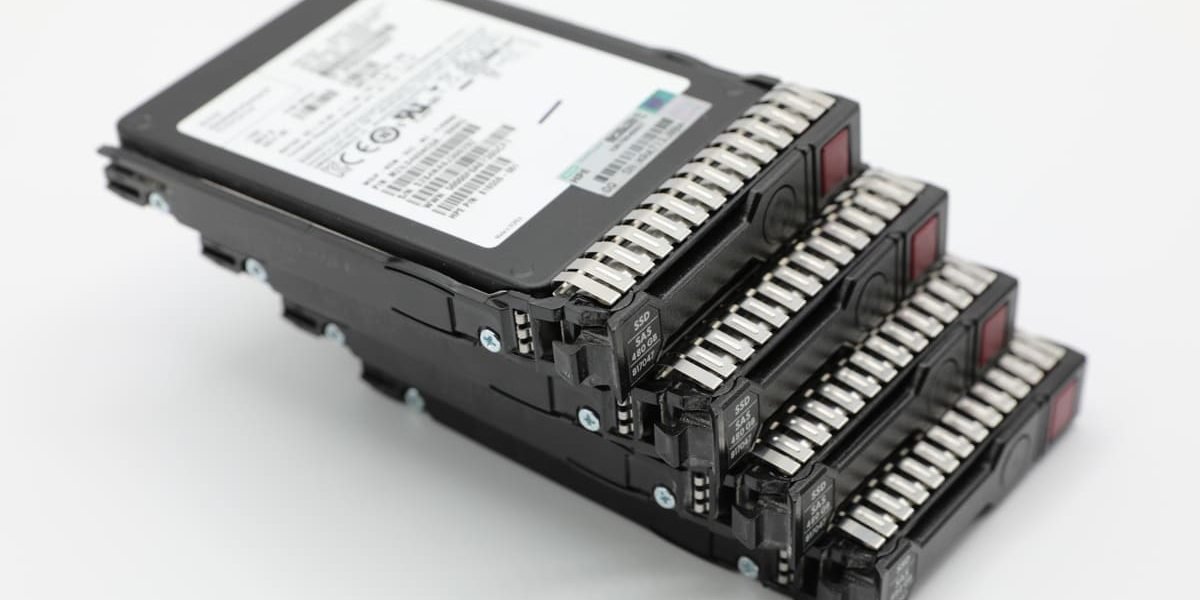
HDD- and SSD-based arrays using SATA, SAS, enterprise HDDs, NAS drives, SSDs and other supported storage media
NAS data recovery in San Jose and the Bay Area
We recover data from failed, degraded, inaccessible and accidentally reconfigured NAS systems used for shared business files, backups, photographs, videos, office documents, databases, media storage, archives and home storage.
A NAS may use standard RAID, manufacturer-specific RAID, JBOD or another multi-drive storage configuration. When the NAS enclosure can no longer assemble or mount the storage correctly, the data may still exist across the original drives.
Common NAS failures include:
Degraded or crashed storage pools
Missing, failed or unreadable disks
Inaccessible shared folders
A NAS that no longer starts or appears on the network
Corrupted volumes or file systems
Failed firmware or operating-system updates
Failed, interrupted or incorrect NAS rebuilds
Drives removed or replaced in the wrong order
Accidental initialization, deletion or reconfiguration
Controller, enclosure, backplane or power-supply failure
Malware or ransomware affecting shared storage
Failed migration to a new NAS enclosure
BTRFS, ext4, ZFS or other supported file-system damage
Synology NAS data recovery
We recover data from failed Synology DiskStation and RackStation systems using standard RAID levels, Synology Hybrid RAID and other supported storage configurations.
Synology recovery cases may involve a crashed or missing storage pool, an SHR or SHR-2 volume that no longer mounts, a failed DSM update, BTRFS or ext4 corruption, inaccessible shared folders, multiple missing drives or a rebuild that stopped or completed with missing data.
Do not initialize a missing Synology storage pool or create a new volume on the original drives. These operations may overwrite RAID metadata, file-system structures or other information required to reconstruct the original storage.
QNAP NAS data recovery
We recover data from QNAP NAS systems affected by degraded RAID groups, missing storage pools, inaccessible volumes, multiple-drive failures, failed firmware updates, corrupted file systems and unsuccessful rebuilds.
The safest recovery method is to image the original drives independently and reconstruct the QNAP storage virtually rather than perform another rebuild inside the original enclosure.
WD, Buffalo, Netgear and other NAS recovery
Our lab also works with Western Digital My Cloud, Buffalo LinkStation and TeraStation, Netgear ReadyNAS, Asustor, TerraMaster and other supported NAS systems used by Bay Area businesses and home users.
These systems may use RAID 0, RAID 1, RAID 5, RAID 6, RAID 10, JBOD or manufacturer-specific storage layouts. Our lab evaluates the complete storage configuration rather than treating each NAS drive as an unrelated individual disk.
how we recover data from a failed NAS
We document the original drive order and evaluate every disk separately. When a drive is unstable or damaged, the safest available method is used to create a controlled image before the storage is reconstructed.
Our engineers then identify the RAID level, member order, stripe configuration, parity layout, missing disks, NAS metadata and file-system structure. The storage pool is reconstructed virtually so that the original drives are not modified by another rebuild attempt.
After the NAS volume becomes accessible, recoverable shared folders, files, databases, archives, backups and other data are extracted and checked before delivery.
common RAID, NAS and server failures we recover from
Degraded or offline RAID array after one or more drives stop responding or report errors
Failed RAID or NAS rebuild where the rebuild stops, completes incorrectly or leaves the volume inaccessible
Multiple-drive failure involving simultaneous HDD or SSD problems within the array
Crashed or missing NAS storage pool
Controller or backplane failure causing drives, volumes or storage groups to become inaccessible
Missing or incorrect drive order after disks are removed, replaced or reinserted incorrectly
Accidental RAID or NAS reconfiguration caused by initialization, changed parameters, overwritten metadata or parity changes
File-system corruption causing missing shares, RAW volumes, mount errors, unreadable folders or inaccessible business data
Failed migration or upgrade causing partial data loss, damaged volumes or inaccessible storage
Power loss or interrupted writes affecting RAID metadata, file systems, virtual machines or active databases
Malware or ransomware damage affecting stored files, shared folders, virtual machines or backup data
Virtual-machine storage failure involving VMDK, VHD, VHDX, VMFS, Hyper-V, snapshots or virtualized storage
NAS volume failure involving degraded RAID groups, missing drives, inaccessible shared folders, failed updates or corrupted volumes
RAID rebuild failed
If a RAID rebuild stopped, failed or made the volume inaccessible, do not immediately force another rebuild.
A rebuild performed with the wrong drive order, an unstable source disk, incorrect RAID parameters or an additional drive failure can overwrite parity or metadata and make recovery more difficult.
Our San Jose lab evaluates the original disks, determines the RAID configuration, identifies missing or unstable members, and reconstructs the array virtually whenever possible before extracting accessible data.
Preserve every original and replacement drive involved in the rebuild. A drive that was removed earlier may contain a more useful version of the array than a drive altered during an unsuccessful rebuild.
RAID 5 and RAID 6 recovery
RAID 5 and RAID 6 systems can become inaccessible when one or more drives fail, a rebuild is interrupted, the controller stops working, storage metadata becomes corrupted or the array configuration is lost.
These failures commonly affect business servers, NAS systems, backup arrays, virtualization storage and production environments.
Recovery may involve imaging the original disks, identifying drive order, stripe size, parity rotation, missing members and file-system damage, then reconstructing the array virtually before recovering accessible files.
server data recovery
We recover data from failed servers, workstations, storage arrays and business systems affected by drive failure, RAID corruption, controller problems, file-system damage, accidental deletion, power loss, malware, failed upgrades or interrupted maintenance.
Our San Jose lab provides server data recovery for businesses, IT teams, technology companies, engineering firms, legal offices, healthcare organizations, financial professionals, creative teams and other organizations across the Bay Area.
Supported server and storage environments include Windows Server, Linux, UNIX, VMware ESXi, Hyper-V and other supported physical and virtualized systems.
business data recovery in the Bay Area
Business storage failures can affect accounting records, client files, databases, project folders, virtual machines, shared storage, email archives, application data, backups and other operational information.
Our San Jose lab helps Bay Area businesses recover data from RAID arrays, NAS systems, servers, SSD storage, external drives, virtual machines and backup systems.
Business recovery cases are handled in-house using secure diagnostics, controlled recovery procedures and clear communication designed to protect the original media and reduce unnecessary risk.
signs of a failing RAID array, NAS or server
Volumes, storage pools or shared folders are no longer accessible
RAID controller reports degraded, failed or offline status
One or more drives disappear from the array
NAS no longer starts or appears on the network
Server will not boot or repeatedly restarts
Users report missing, corrupted or inaccessible files
Shared storage becomes unusually slow
Mount errors or missing volumes appear
Drive LEDs report warning or failure status
Virtual machines no longer start
Backups fail or become inaccessible
Multiple drives report SMART or read errors
The system asks to initialize, rebuild, repair or create a new volume
what you should do and not do
Stop using the RAID, NAS, or server when important data becomes inaccessible or the system reports multiple storage errors
Do not force another RAID or NAS rebuild after a failed or interrupted rebuild
Do not initialize, format, or create a new volume when the system asks you to repair or reconfigure the storage
Do not replace multiple drives at once unless the original array configuration has already been documented and evaluated
Do not run CHKDSK, fsck, data scrubbing, repair utilities, or reconfiguration tools on unstable original drives
Document the RAID level and drive order before removing any disks
Label every drive before removal so the original physical order can be preserved
Avoid repeated power cycles when multiple drives are reporting errors or dropping offline
Preserve the controller, NAS enclosure, and configuration information when available
Contact a professional recovery lab before making additional changes when the data is important
our three-step RAID, NAS and server recovery process
Free evaluation and fixed quote - the RAID, NAS, server, or storage system is examined within 2 hours after it arrives at our San Jose lab, and the recovery options and a fixed quote are provided before work begins
Safe imaging and storage reconstruction - the original drives are protected and the safest available recovery method is used based on drive condition, RAID parameters, member order, parity, stripe configuration, NAS metadata, and file-system structure; the RAID array, NAS storage pool, or server volume is reconstructed virtually before file recovery begins
File reconstruction and verification - the logical storage is reconstructed, and accessible files, folders, databases, shared folders, virtual disks, and business data are checked before delivery
how fast do you need your data back?
standard service - recovery during regular business hours
express service - completed in up to 72 hours
24/7 emergency service - round-the-clock recovery on request
why choose kotar for RAID and server recovery
26+ years of data recovery experience with degraded arrays, crashed NAS storage pools, failed rebuilds, missing drives, controller failures, file-system damage, virtual storage, and complex business-storage failures
Professional San Jose data recovery lab serving businesses, IT teams, technology companies, engineering firms, legal offices, healthcare organizations, financial professionals, creative teams, and other Bay Area clients
All recovery work performed in-house at our San Jose lab without outsourcing your RAID, NAS, server, or business data to third-party companies
Specialized RAID and NAS recovery tools for degraded arrays, failed rebuilds, missing members, corrupted metadata, virtualized storage, and multi-drive failures
Experience with RAID, NAS, server, SAN, and virtualized storage across HDD, SSD, SAS, SATA, and enterprise storage environments
Experience with supported NAS systems from Synology, QNAP, WD, Buffalo, Netgear, Asustor, TerraMaster, and other manufacturers
Free secure courier pickup available across the Bay Area
Free shipping label available when shipping is more convenient
Free evaluation within 2 hours after the storage system arrives at our lab
No data, no fee guarantee
Fixed quote before recovery begins so you know the cost before approving the work
Secure handling for business records, databases, legal documents, healthcare information, engineering data, financial files, intellectual property, virtual machines, and confidential projects
24/7 emergency service available on request for urgent recovery cases
RAID, NAS and server recovery FAQs
Can data be recovered after a failed RAID rebuild?
Often, yes. Data may still be recoverable after a failed or interrupted RAID rebuild, especially when the original drives have not been further modified. We evaluate the disks, RAID parameters, drive order, parity structure, and file system before determining the safest recovery method.
Can you recover a RAID array with multiple failed drives?
Yes, depending on the condition of the individual drives and RAID configuration. We evaluate each disk separately, protect the recoverable source media, and reconstruct the array using the available drives and RAID metadata whenever possible.
Can data be recovered from a failed NAS?
Often, yes. We recover data from NAS systems affected by crashed storage pools, degraded RAID groups, missing disks, corrupted volumes, failed updates, inaccessible shared folders, enclosure problems and failed rebuilds.
Can you recover Synology or QNAP NAS systems?
Yes. We recover supported Synology and QNAP NAS systems using standard RAID and manufacturer-specific storage configurations, including supported Synology Hybrid RAID systems.
Is NAS recovery the same as RAID recovery?
Many multi-drive NAS systems use RAID, so reconstructing the underlying array is often part of NAS recovery. However, NAS recovery may also require analysis of manufacturer-specific storage metadata, storage pools, logical volumes, file systems and shared-folder structures.
Should I rebuild a degraded NAS?
If the data is important and you do not have a verified backup, do not immediately start another rebuild. A rebuild writes to the drives and may make recovery more difficult if another disk is unstable, the drive order is incorrect or the storage metadata is damaged.
Should I bring the NAS enclosure or only the drives?
Contact us before disassembling the NAS. Depending on the failure, we may request the complete enclosure, power supply and all original drives. If drives must be removed, label each one with its original bay number.
Can you recover data when the NAS enclosure failed but the drives are working?
Yes, in many cases. A failed enclosure, controller, backplane or power supply does not necessarily mean the data is lost. We can evaluate the drives independently and reconstruct the storage without relying on the original enclosure.
Can you recover data from a failed server?
Yes, in many cases. We recover data from servers and business-storage systems affected by degraded RAID, drive failure, controller problems, corrupted volumes, failed updates and other hardware or logical storage failures.
Can you recover virtual machines stored on a failed RAID, NAS or server?
Yes, in many cases. We recover VMDK, VHD, VHDX, VMFS, Hyper-V, VMware and other virtual-disk data when the underlying storage can be reconstructed and accessed.
related data recovery services
For failed mechanical drives inside RAID, NAS or server systems, visit our hard drive data recovery page.
For SSD-based arrays, NVMe storage and failed solid-state drives, visit our SSD data recovery page.
For damaged virtual machines, virtual disks and datastores, visit our virtual machine data recovery page.
For cloud-sync, shared-folder or cloud-connected backup problems, visit our cloud data recovery page.
For deleted, formatted, corrupted, or missing files, visit our lost file recovery page.
ready to get your RAID, NAS, or server data back?
or
call (408) 455‑4310 to speak with a data recovery expert
or
send us email at restore@kotar.us