
sd card data recovery: what to do when photos or videos disappear.
July 15, 2026
Photos and videos often hold moments that cannot be recreated: family vacations, weddings, graduations, business shoots, drone footage, security recordings, travel memories, and once-in-a-lifetime events. When an SD card suddenly shows empty folders, missing files, unreadable media, or a message asking you to format the card, it can feel like everything is gone.
The good news is that missing photos and videos may still be recoverable, but the first steps matter. What you do immediately after the problem appears can make the difference between a successful recovery and permanent file loss.
If your SD card, microSD card, camera card, drone card, GoPro card, dashcam card, or phone memory card is not showing your files, stop using it right away and avoid writing anything new to the card.
stop using the card immediately.
The most important step is to stop using the SD card as soon as you notice missing files.
Do not take more photos.
Do not record more videos.
Do not save new files to the card.
Do not keep testing it in multiple devices.
When photos or videos are deleted, the data may still exist on the card until new information overwrites it. Continuing to use the card can replace recoverable files with new data. This is especially important for video files because they are usually larger and may occupy more space across the card.
If the card contains important photos or videos, remove it from the device and keep it safe.
do not format or repair the card.
Many cameras, phones, drones, and computers will suggest formatting an unreadable SD card. This can be a dangerous step if the files are important.
Formatting may create a new file system structure on the card and reduce the chance of recovering the original folder and file organization. Running repair utilities can also change the card’s data structure, especially if the card is failing or corrupted.
If your card asks to be formatted, do not format it.
If your computer suggests repairing it, do not proceed.
If recovery software asks where to save recovered files, never save them back to the same card.
The safest option is to preserve the card in its current condition until it can be evaluated properly by a professional data recovery lab.
why photos and videos may disappear from sd cards.
SD cards are small, convenient, and widely used, but they are still vulnerable to logical failure, physical damage, corruption, and accidental file loss. A card can appear empty or unreadable even when recoverable data is still present beneath the surface.
Common causes of missing photos and videos include:
Accidental deletion of images or video files
Formatting the card in a camera, phone, drone, or computer
Removing the card while files are still being written
Interrupted transfers from the card to a computer or external drive
File system corruption
Camera or device errors
Water, heat, bending, or impact damage
Worn-out flash memory
Fake or low-quality memory cards
Problems caused by switching one card between different devices
A card may also show messages such as “card error,” “format card,” “card not recognized,” “no files found,” or “the disk needs to be formatted.” These messages do not always mean the photos or videos are permanently gone. They mean the device can no longer read the card correctly.
can deleted photos be recovered from an sd card?
Deleted photos may be recoverable if the storage space has not been overwritten. When a file is deleted, the device may remove the reference to the file while leaving the actual data behind. Recovery depends on whether the card has been used after deletion, how the device handled the file system, and whether the memory cells are still readable.
Recovery chances are usually better when:
The card was removed from use immediately
The card is still physically healthy
No new photos or videos were recorded
The card was not reformatted multiple times
The files were not overwritten
The card is not severely damaged
Even if the original folder structure is missing, recovered files may still be found through professional recovery methods.
For deleted images, missing folders, or damaged photo files, our Photo Recovery service can help recover important pictures from SD cards, memory cards, cameras, phones, and other storage devices.
are videos harder to recover than photos?
Videos can be more difficult to recover than photos because they are often larger, more fragmented, and more dependent on file structure. A photo may be stored as a single image file, while a video can contain multiple data streams, metadata, indexes, and recording information.
Video recovery may be more complex when:
Recording was interrupted
The camera battery died during recording
The card was removed too early
The video file was not finalized correctly
The card became corrupted during a shoot
The device crashed while saving footage
Large files were fragmented across the card
In some cases, the video data may be present but the file will not open without repair. Professional video recovery may involve rebuilding or repairing the damaged file structure so the footage can play again.
sd card recovery depends on the device that used the card.
SD cards and microSD cards are used in cameras, drones, GoPros, dashcams, security cameras, and Android phones. Each device can store files differently, so the recovery approach depends on how the card was used and what type of files were lost.
For example, digital cameras may store RAW photos, JPEG images, and high-resolution video files. Drones and GoPros often record large video files that can become corrupted if recording stops unexpectedly. Dashcams and security cameras may continuously overwrite older footage, which can reduce the chance of recovery if the card keeps recording. Android phones using microSD cards may store photos, videos, documents, and app-related files.
Because of these differences, it is important to know which device used the card and what happened before the files disappeared. This helps determine whether the issue is accidental deletion, formatting, file system corruption, interrupted recording, or physical card failure.
If the files are important, stop using the card in the original device and avoid testing it in multiple cameras, phones, or computers. Preserving the card in its current condition gives recovery specialists the best chance to evaluate the problem correctly.
when DIY recovery software may help.
DIY recovery software may be useful in simple cases, such as accidental deletion from a healthy, readable card. However, it should be used carefully.
Before using recovery software, make a full backup or image of the media first to protect any data that is still readable. Scanning a failing card can create additional stress, and some programs may also prompt users to save recovered files back to the same card, which can overwrite the very files they are trying to recover.
DIY recovery may be reasonable only when:
The card is detected normally
The card has no physical damage
The files were simply deleted
The card is not making the computer freeze
The card is not repeatedly disconnecting
You know how to save recovered files to a different storage device
If the photos or videos are highly important, professional evaluation is usually the safer first step.
when professional sd card recovery is safer.
Professional SD card data recovery is recommended when the card is not detected, physically damaged, corrupted, unstable, or contains irreplaceable files.
Seek professional help if:
The card asks to be formatted
The card is not recognized by the camera or computer
The folders are empty but space appears used
Photos or videos disappeared after a transfer
The card was bent, cracked, washed, dropped, or exposed to water
The card was used in a drone, GoPro, dashcam, DSLR, mirrorless camera, or security camera
Important business, legal, family, or event footage is missing
DIY recovery software failed
Recovered videos will not open
The card disconnects or freezes during scanning
A professional recovery lab can work with the card in a controlled process, avoid unnecessary writes, and use specialized tools to extract data safely.
Professional Data Recovery Services can help when an SD card is corrupted, unreadable, physically damaged, or no longer showing important photos and videos.
For accidentally deleted files, formatted cards, or missing media, our Lost Files Recovery service can help when important data is no longer visible or accessible.
how to protect photos and videos after recovery.
After your files are recovered, it is important to improve your storage habits so the same situation does not happen again.
Use these best practices:
Back up photos and videos as soon as possible after shooting
Keep at least two copies before formatting a card
Avoid using the same card across multiple devices
Format the card in the device that will use it
Replace older or unreliable cards
Use high-quality memory cards from trusted sources
Do not remove the card while files are being written
Keep cards in protective cases
Avoid heat, moisture, bending, and static exposure
Do not rely on one SD card as long-term storage
SD cards are designed for portable storage and recording, not for permanent archiving. Important photos and videos should be copied to reliable storage and backed up in more than one place.
professional sd card data recovery in san jose and the bay area.
Kotar Data Recovery provides professional SD card, microSD card, memory card, photo, and video recovery in San Jose for customers who need Bay Area data recovery and professional help throughout Northern California.
Our work is performed in-house at our local San Jose data recovery lab, where we help recover lost files from damaged, corrupted, unreadable, deleted, formatted, and failing memory cards. Whether your card came from a camera, drone, GoPro, dashcam, security camera, or phone, stop using it and keep it safe. The sooner the card is protected from further use, the better the chance of recovery.
For missing photos, corrupted videos, deleted files, or an SD card that is not recognized, contact Kotar Data Recovery for professional evaluation and recovery options.
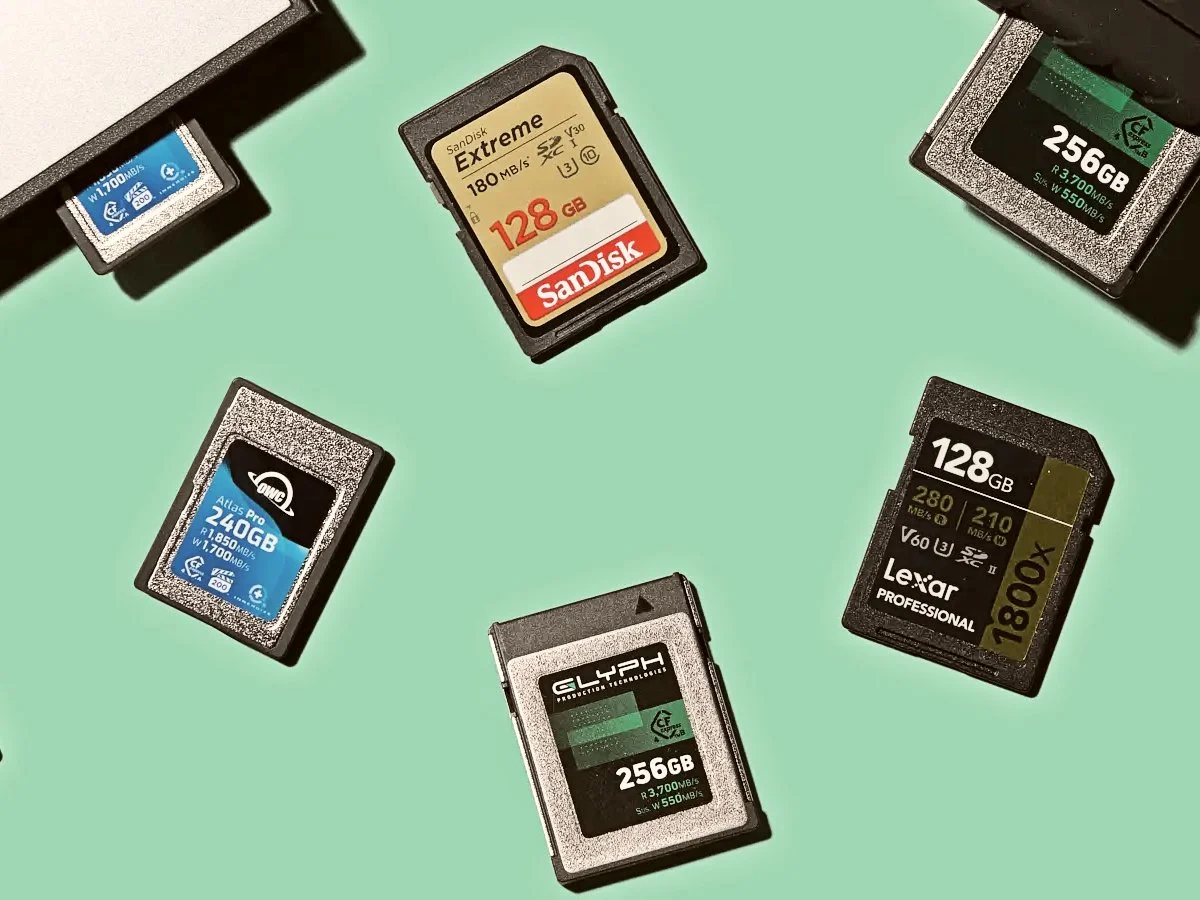
Missing photos or videos from an SD card, microSD card, camera card, drone card, GoPro card, dashcam card, or phone memory card may still be recoverable if the card is protected from further use.